


ClockShark Time Tracking
3.539.00 Reviews
App Specs
- Version
- 2.18.1
- Updated On
- License
- Free
- Downloads
- 50,000+
- Developer
- Clockshark LLC
- Categories
- Business
- Platform
- Android
Screenshots
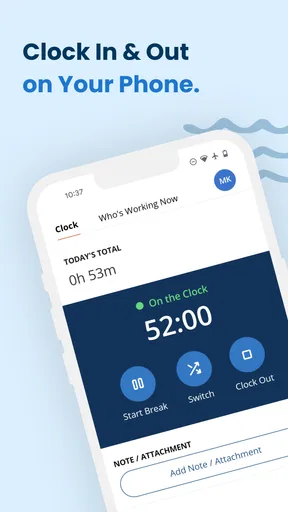
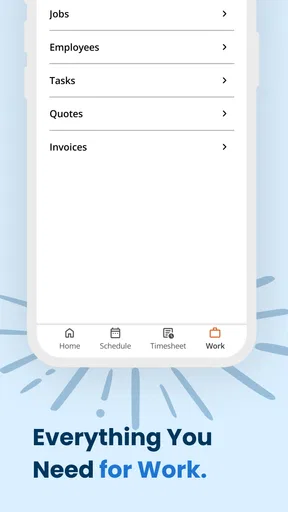
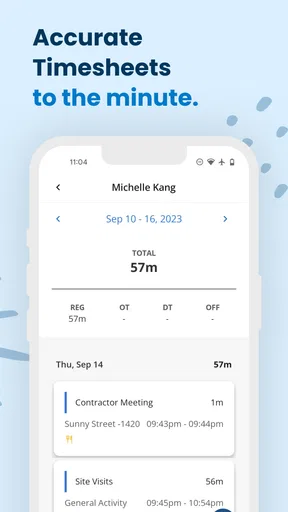
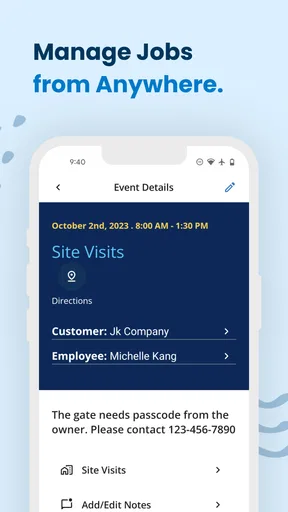
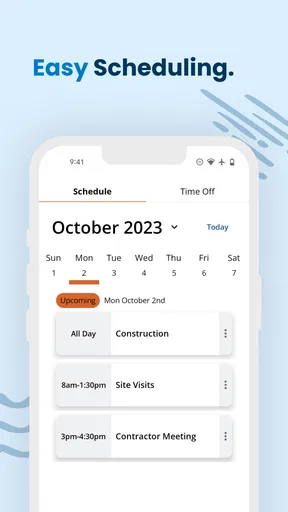

 Analysis by AppCompare
I spent time with ClockShark Time Tracking as a practical business app rather than treating it like a simple stopwatch. Its main job is to help people record working time, move between jobs, and keep the day organized. That focus makes it especially relevant to contractors, field crews, service businesses, and anyone whose work happens away from a desk. My overall impression is that it can reduce the small memory tasks involved in a busy shift, although it works best when a team agrees on a clear routine before using it.
The app comes from Clockshark LLC and is free to install. It is listed for Everyone, runs on operating systems from version 11 onward, and the current release is 2.18.1. It has passed the early adoption stage with over 50 thousand installs, while its average sits at 3.5 from around 95 ratings. Those figures suggest a useful but not universally smooth experience: enough people are using it to make the workflow credible, but the middling score is a good reason to look closely at how it fits your particular working conditions.
How ClockShark supports different working abilities and contexts
I find ClockShark most useful when teams treat access as a practical part of the daily routine, not as an afterthought. A worker’s device, work setting, familiarity with phone interfaces, and safe opportunities to interact can all shape whether job-linked timekeeping feels straightforward. Thinking through those differences also helps clarify which small adjustments—like clearer job names or a consistent pause for recording a transition—can make the workflow easier to sustain.
Readability and navigation during a busy workday
The most important accessibility question here is not whether the app looks modern; it is whether a person can understand what to do at the moment they need to do it. ClockShark is built around familiar work actions: starting time, ending time, choosing or managing jobs, and keeping records in order. That narrow purpose is a strength. A worker who opens it between tasks is not asked to navigate an entertainment feed or a crowded collection of unrelated tools.
I found the job-based approach more useful than a generic timer because it connects a time entry with the work being performed. That distinction matters to someone who moves between customers, properties, projects, or service calls. Instead of trying to reconstruct the day from memory, the user can associate each period with the relevant job while the context is still fresh. For people who find multitasking difficult, this can remove one layer of mental bookkeeping.
There is also a practical difference between an app that records time and one that helps organize work. A plain stopwatch may be easier to understand at first, but it leaves the user responsible for naming the activity later. ClockShark places the job at the center of the action, which is better for a supervisor reviewing hours or for a worker who needs to keep several assignments separate.
My advice is to keep the job list as tidy as possible. If a team creates vague names, duplicate entries, or internal abbreviations that only one person understands, the app becomes harder to scan regardless of the interface. Clear labels such as a customer name followed by a recognizable task are easier for workers with attention, reading, or memory challenges than a long list of similar project titles.
Worth Reading Before You Choose

Flipboard Shows What News Apps Must Do Beyond the Feed

Switching to Android Auto Means Rethinking Your Driving Routine

Google Calendar Makes a Crowded Week Easier to Manage

Ludo King Makes the Most of the Minutes Between Plans

Baby Panda World Brings Quick Play to Modern Phones, but Its Game Library Feels Busy

ESPN’s Live Game View Makes Following Close Games Easier
The app is also more approachable when the first use is explained in plain language. I would show a new employee one complete cycle: choose the job, begin the shift, change jobs when the assignment changes, and stop when work ends. Demonstrating that sequence is more inclusive than handing over the phone and expecting the person to infer the workflow from icons or brief labels.
Motor, visual, and sensory considerations
Time tracking often happens in imperfect conditions: while wearing work gloves, standing outdoors, carrying equipment, or moving between rooms. That makes physical interaction just as important as the logical design. ClockShark can be a reasonable fit when the user can make deliberate taps, but it should not be treated as effortless in every setting. A worker with limited dexterity may need to pause, put down a tool, or ask for a co-worker’s help when changing jobs.
A useful team habit is to make the action happen at a natural pause rather than during the most demanding part of a task. For example, a technician can select the next job before leaving one site, then start the new work period once they are safely ready. This reduces rushed tapping and avoids turning time recording into a distraction. It also helps workers whose coordination is affected by fatigue, cold, protective clothing, or a noisy environment.
For users with visual difficulties, the practical test is whether the job names and action controls remain easy to distinguish on the individual phone being used. Text size, display contrast, screen brightness, and system-level enlargement can all change the experience. I would encourage a worker to test the complete clock-in and job-switch routine on their own device, not on a manager’s larger or newer phone.
People who are sensitive to visual clutter may appreciate the app’s focused purpose, but a long job list can still become tiring. Reducing unnecessary entries is therefore more than an administrative preference; it can make the next choice easier to identify. If a worker is prone to selecting the wrong item under pressure, a supervisor should review the naming structure and offer a short verbal confirmation routine for the first few days.
Hearing-related needs are less central to a visual time-recording workflow than they would be in a communication app, but that does not remove the need for clear feedback. A user should not have to depend on a sound alone to know whether an action succeeded. I would build the habit of checking the visible state after starting, stopping, or changing a job. That small confirmation is valuable for anyone working in loud surroundings, anyone who cannot rely on audio cues, and anyone who simply wants to avoid a missed entry.
Situational access for field teams and mixed workplaces
The strongest use case is a mobile workforce whose day is divided into identifiable jobs. Imagine a small repair crew visiting several properties. One worker begins the morning on the first assignment, moves to another customer after finishing the initial task, and later needs to explain how the day was divided. A notebook can capture the same information, but it relies on handwriting, memory, and later transcription. ClockShark gives the worker a dedicated place to keep those changes connected to the workday.
This is particularly helpful for people who struggle to remember transitions. A busy employee may remember the broad shape of the day but forget exactly when one job ended and another began. Recording the change close to the moment it happens creates a more reliable routine than filling everything in at night. It also reduces the cognitive load on supervisors who would otherwise need to interpret incomplete notes.
At the same time, the phone is not always available in the same way. A worker may be driving, operating machinery, working at height, entering a restricted area, or dealing with a customer. In those situations, the right choice is to wait until it is safe, not to interact with the app while moving. A time-tracking tool should support work, never compete with safety procedures.
Shared devices introduce another consideration. ClockShark is most comfortable when each person has a consistent personal workflow. If several employees take turns using one phone, the team needs a clear handoff method so that one person’s job selection or open time entry is not mistaken for another’s. The app can organize entries, but it cannot replace a workplace rule about who is responsible for confirming the current user and job.
For employees with limited data access, unreliable connectivity, or restricted phone use, the organization should test the real route before making the app mandatory. A field process that works at the office may be less convenient in basements, remote properties, or areas with weak service. I would not promise a worker that every location will feel identical; instead, I would agree on a backup reporting process before the first shift.
Language and literacy also affect situational access. The app’s usefulness depends on people understanding job names and knowing which action represents the beginning or end of work. A manager can improve inclusion by using consistent wording, avoiding unexplained abbreviations, and pairing written instructions with a short demonstration. That approach benefits new staff, workers who are less comfortable with business software, and employees who are tired or distracted at the end of a shift.
Where the workflow still creates barriers
The biggest limitation is that the app does not remove the need for attention at key moments. Someone still has to remember to start, stop, or change the relevant job. If a worker forgets, the record may be incomplete even though the interface itself is functioning. This is an important difference from systems that connect time capture to a physical terminal, an established scheduling process, or a manager’s direct oversight.
That limitation is manageable, but only with a routine. I would connect clock changes to events that already happen: putting away equipment, leaving a customer site, beginning a scheduled break, or completing a work order. These anchors are easier to remember than an abstract instruction such as “update the app regularly.” A supervisor can also review patterns without treating every mistake as carelessness, since missed transitions may reflect workload, fatigue, or an inaccessible work environment.
Another barrier is the possibility of choice overload. A company with many active jobs can make the selection step slower and less clear, especially for a worker with low vision, reduced concentration, or limited familiarity with the business. The solution is not simply more training. It is better preparation: archive or remove irrelevant entries where the organization’s process allows it, use recognizable names, and avoid presenting several nearly identical options.
There is also a social barrier when the app is introduced as surveillance rather than as a shared record. Workers who already feel monitored may hesitate to use it or may rush through entries. Managers should explain how the records will be used, what counts as a correction, and who can help when an entry is wrong. That communication is outside the software, but it strongly affects whether the product feels inclusive.
The 3.5 average rating is worth keeping in mind when setting expectations. I would not choose ClockShark on the assumption that every worker will immediately find it intuitive. A short pilot with different users is smarter than a blanket rollout. Include someone who works mostly indoors, someone who works in the field, someone who is less confident with smartphones, and someone who needs larger text or more time for physical interaction. Their feedback will reveal barriers that a manager testing the app at a desk may miss.
Teams should also decide what happens when a correction is needed. A worker may select the wrong job, forget a transition, or finish the day before noticing an error. The app can be part of the record, but the organization still needs a fair correction process. Without one, employees with memory difficulties or irregular working conditions may be judged more harshly for the same kind of mistake.
Who should use it, and who may be better served elsewhere
I see ClockShark as a good match for small and medium-sized service operations that need a straightforward connection between people, jobs, and working time. It is especially promising when employees regularly move between assignments and the business wants something more structured than paper notes or a general timer. The free price also makes it easier to test without committing money at the beginning.
I would be more cautious if your organization needs a highly specialized accessibility setup, a complicated approval chain, or a workflow that must function with almost no user interaction. In those cases, a different business system may be better, particularly one designed around your existing scheduling, payroll, or assistive-technology requirements. A basic stopwatch may also be preferable for a single freelancer who only needs to measure one uninterrupted task and does not need job organization.
ClockShark is not the right answer merely because a company wants digital records. The value appears when job context matters. If your staff work at one location, perform one predictable shift, or already use another platform that handles time and job assignments together, adding a separate app may create duplication rather than clarity.
Before adopting it, I would ask four practical questions. Can every worker safely reach the phone at the moments when job changes occur? Are job names understandable without insider knowledge? What is the backup when a device cannot be used? And who corrects an entry that is incomplete? Clear answers to those questions matter more than the app’s download count or a polished demonstration.
My inclusive verdict after using the workflow
ClockShark Time Tracking earns its place as a focused business app because it connects time recording with the jobs that give that time meaning. I like that it can turn a scattered workday into a sequence that is easier to review, especially for field workers and teams handling several customers. Its free availability, Everyone content rating, and support for operating systems from version 11 make it approachable for many Android users, while the current 2.18.1 release gives teams a clear version to evaluate.
My recommendation comes with conditions. Treat the app as one part of an inclusive work process, not as a complete solution for every ability or workplace. Make the labels readable, keep the job list disciplined, train through a real example, provide a safe time and place for phone interaction, and agree on corrections and backup reporting. Those steps address the practical barriers that a time tracker alone cannot solve.
For a contractor or service team that wants job-linked records without paying to begin testing, I would give it a fair trial. For a worker who needs extremely low-effort interaction, a fully offline routine, or deep integration with specialized workplace tools, I would compare alternatives before making a decision. My final view is positive but measured: ClockShark is most inclusive when the organization designs the surrounding routine as carefully as it configures the app.
Pros
- GPS tracking helps verify job-site locations and travel time.
- Clock-in reminders reduce missed punches and incomplete timesheets.
- Managers can review schedules and attendance from a mobile device.
- Time data can support accurate payroll and client billing.
- Photo attachments help document work completed on-site.
Cons
- Some features require higher-tier plans or additional paid add-ons.
- Employees may have privacy concerns with location monitoring.
- The interface can feel overwhelming for occasional users.
- Reliable internet access may be needed for instant synchronization.
- Setup takes time when configuring teams
- jobs
- and permissions.
FAQs for ClockShark Time Tracking
What is ClockShark Time Tracking used for?
ClockShark is a time-tracking and workforce-management app designed mainly for mobile teams, contractors, and businesses with employees working at different locations. After reviewing its core tools, the app stands out for letting workers clock in and out, record breaks, track job-site time, and submit timesheets, while managers can review hours, organize employees, and monitor labor more efficiently.
How does ClockShark track employee locations?
ClockShark can use GPS and location-based features to help employers understand where employees are clocking in, working, or ending their shifts. Depending on the company’s settings and subscription, location tracking may operate only during working hours rather than continuously. Users should review the organization’s privacy policy, app permissions, and local employment laws before enabling or relying on these features.
Can ClockShark track time without an internet connection?
ClockShark is intended for field workers who may occasionally experience weak connectivity, and the mobile app can generally support time-entry workflows when a reliable connection is unavailable. Data may be stored temporarily and synchronized once the device reconnects. However, offline behavior can depend on the feature being used, phone settings, and the employer’s account configuration, so users should confirm the process before working in remote areas.
Does ClockShark integrate with payroll or accounting software?
One of ClockShark’s main advantages is its ability to connect time records with business and payroll workflows. Available integrations can help transfer approved hours, job information, and related data to supported accounting or payroll platforms. The exact integrations, setup requirements, and availability may vary by plan and region, so administrators should check the current integration list and verify that it matches their existing software before subscribing.
Is ClockShark free to use, and what does it cost?
ClockShark is generally a subscription-based service rather than a completely free time-tracking app. Pricing can depend on the number of users, selected features, billing frequency, and any promotional trial offered at the time of registration. The mobile application may be downloadable without charge, but access to employer dashboards, GPS tools, scheduling, approvals, and integrations usually requires a paid company account. Always confirm current pricing before downloading.


